If you’re thinking about replacing paper notebooks with digital ones, Prime Big Deal Days is a good time to look for a tablet and stylus. But there’s an important question you should ask before buying: Can the tablet actually handle the PDF notebook you want to use?
That’s especially important if you’re using a hyperlinked digital notebook such as the notebooks available here at Ministry Notebook. These aren’t simply PDF documents that you read. They’re designed to be used as digital notebooks, with navigation links, writing areas, reusable templates you can copy and paste where you want them.
Amazon’s Prime Big Deal Days sale takes place October 6–7, 2026, with new deals appearing throughout the 48-hour sales event. There are plenty of tablets worth considering, but they’re not all equally good for digital PDF notebooks. In this article, I’ll list my favorite tablets for Amazon’s Prime Big Deal Days sale.
This article contains affiliate links. Using our links helps keep this website running. We appreciate you using our links.
What Makes a Good Tablet for a PDF Notebook?
A good digital-notebook tablet should have:
- A responsive stylus
- Palm rejection
- A screen large enough to comfortably view and use a notebook page
- A PDF app that can write directly on PDFs
- The ability to import and save PDF files
- The ability to duplicate or add pages
- Hyperlinks for easy navigation
- Enough storage for multiple notebooks
- A large enough battery that can last through a day of studying, teaching, or work
Those last two items are easy to overlook. A tablet might have excellent PDF support, but that doesn’t mean it is a good digital notebook. That’s why the tablets on this list are much better choices than an e-reader such as the Kindle Scribe.
1. Samsung Galaxy Tab S10 FE — Best Overall for PDF Notebooks
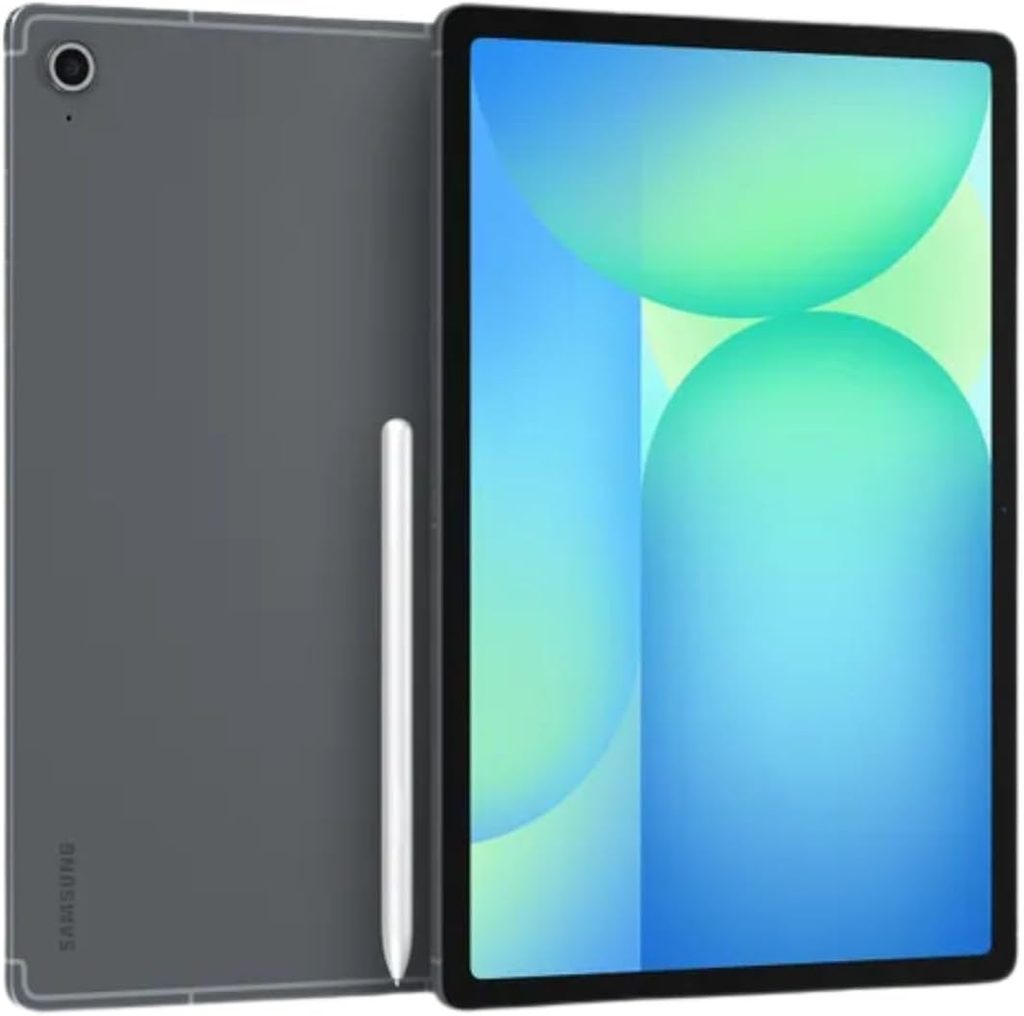
The Samsung Galaxy Tab S10 FE is probably the easiest tablet to recommend to someone who wants to use writable PDFs. It combines a 10.9-inch display with Samsung’s S Pen, making it great for handwritten notes, PDF annotation, and digital notebooks.
Why it’s good for Notebook PDFs
You can install PDF and note-taking applications that allow you to import a Ministry Notebook PDF, write on it with the S Pen, navigate hyperlinks, and manage your notebook as an actual working document.
A Ministry Notebook PDF can be more than a static document. You might:
- Write sermon notes
- Complete Bible study templates
- Jump between sections using navigation links
- Write on lined, dotted, or graph pages
- Duplicate pages when you need more writing space
- Copy pages into another part of your notebook
- Keep several notebooks on the same device
- Use other Bible and reference apps alongside your notebook
The S10 FE supports that kind of workflow.
Best for: Preachers, pastors, Bible teachers, students, and anyone who wants a general-purpose tablet for digital notebooks.
2. Samsung Galaxy Tab S10 FE+ — Best for Large Digital Notebook Pages
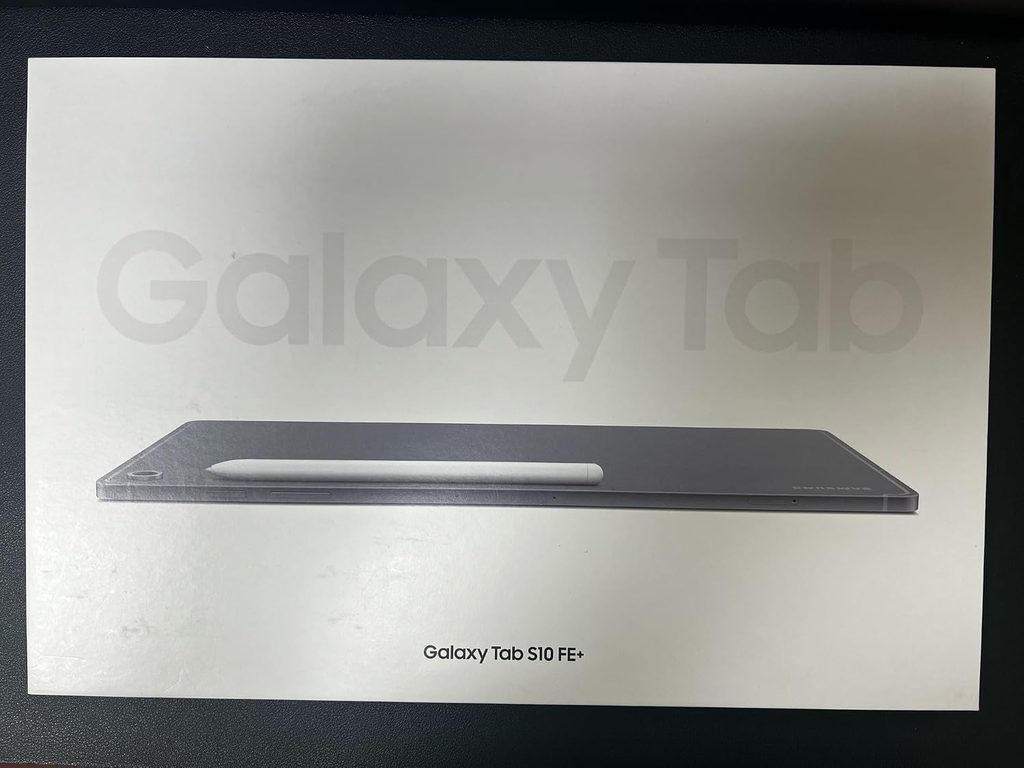
If you’re serious about digital notebooks, the Galaxy Tab S10 FE+ deserves a special look. The FE+ increases the display size to 13.1 inches, giving you a lot more room to view and write in your PDF notebook. That can make a huge difference when you’re working with a full notebook page.
Why the larger screen matters
Ministry Notebook’s standard digital notebook format is designed around a 10 × 7.5-inch page. A larger tablet gives you more physical screen area to comfortably view the page. Instead of constantly zooming in and out, you can see more of the page at once.
That’s especially useful for:
- Sermon outlines
- Bible study pages
- Scripture mapping
- Character studies
- Resource notes
- Longer handwritten entries
And because the S10 FE+ is a full Android tablet, you’re not locked into just a single PDF workflow. You can use a PDF notebook along with your Bible apps, web research, commentaries, and other resources.
Best for: People who want a digital notebook to feel as much like a full-size paper notebook as possible.
3. Apple iPad — Best Alternative to Samsung
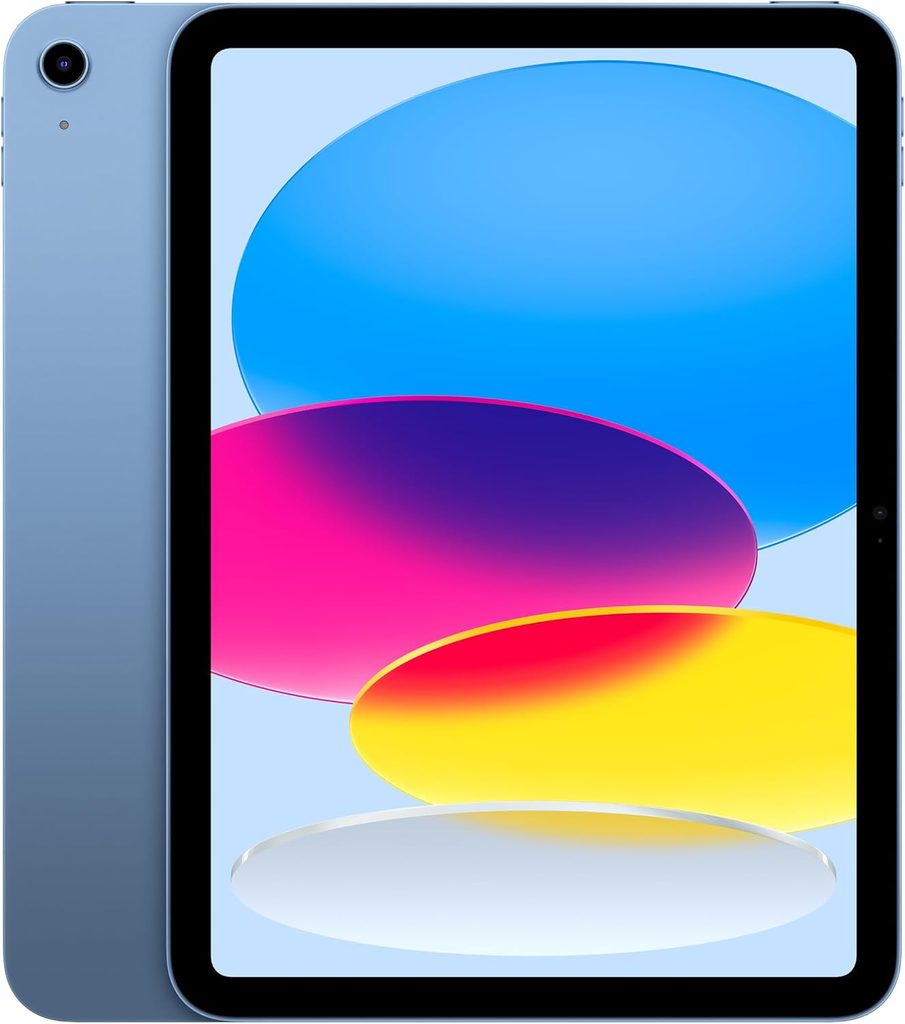
Don’t overlook the iPad just because Samsung includes the S Pen with many of its tablets. The iPad is an excellent platform for digital PDF notebooks. The major difference is that Apple Pencil is generally an additional purchase, depending on the iPad and bundle you’re buying. So when comparing an iPad deal with a Samsung deal, remember to calculate the cost of the tablet plus the compatible Apple Pencil.
Why iPad works well with Ministry Notebook PDFs
The iPad has a massive ecosystem of PDF and handwriting apps. Goodnotes, for example, supports Apple Pencil on compatible iPad models. Apple’s current iPadOS also has built-in tools for working with PDF files and marking them with Apple Pencil or touch. That makes the iPad a very capable digital notebook platform, and you’re not limited to Apple’s built-in tools. You can choose from a several PDF and handwriting apps depending on how you want to use your Ministry Notebook.
Which iPad?
You don’t necessarily need an iPad Pro. For digital notebooks, an iPad, iPad Air, or iPad mini can all make sense depending on your priorities. I do think the mini might be too small for most users, though, when hand-writing in digital notebooks. It’s interesting if portability is your priority, but its 8.3-inch screen is noticeably smaller when you’re working with a full notebook page. I’d lean toward the 11-inch iPad or iPad Air for most digital notebook users because the screen gives you a comfortable writing area without making the tablet excessively large.
Best for: People who prefer Apple’s ecosystem or already own an iPad, iPhone, or Mac.
4. Lenovo Idea Tab Pro — Best Large-Screen Budget Alternative
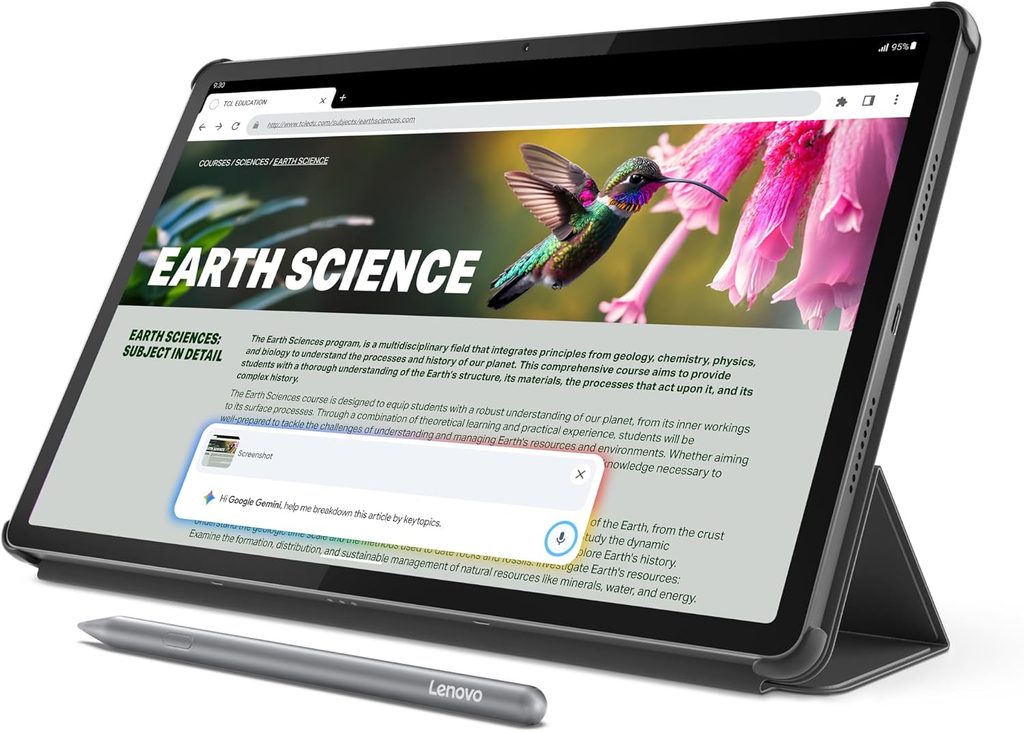
The Lenovo Idea Tab Pro is an interesting alternative if you want a large screen without paying Samsung or Apple prices. It has a 12.7-inch 3K display, and configurations are available with Lenovo’s Tab Pen Plus. That’s a nice combination for digital notebooks because you get a large writing surface, Android, a high-resolution display, and a stylus, all in a package that can cost a lot less than premium tablets.
Why it’s worth considering
The Idea Tab Pro is especially interesting for people who want:
- A large PDF viewing area
- Handwritten notes
- Android applications
- A capable stylus
- Plenty of screen space for digital notebooks
- A lower price than premium tablets
The current product listings show configurations with the Tab Pen Plus, so make sure you’re purchasing the pen-included configuration rather than assuming every Idea Tab Pro package includes the stylus.
Best for: Budget-conscious digital notebook users who want a large screen.
5. TCL NXTPAPER — Best Paper-Like Android Tablet for Digital Notebooks
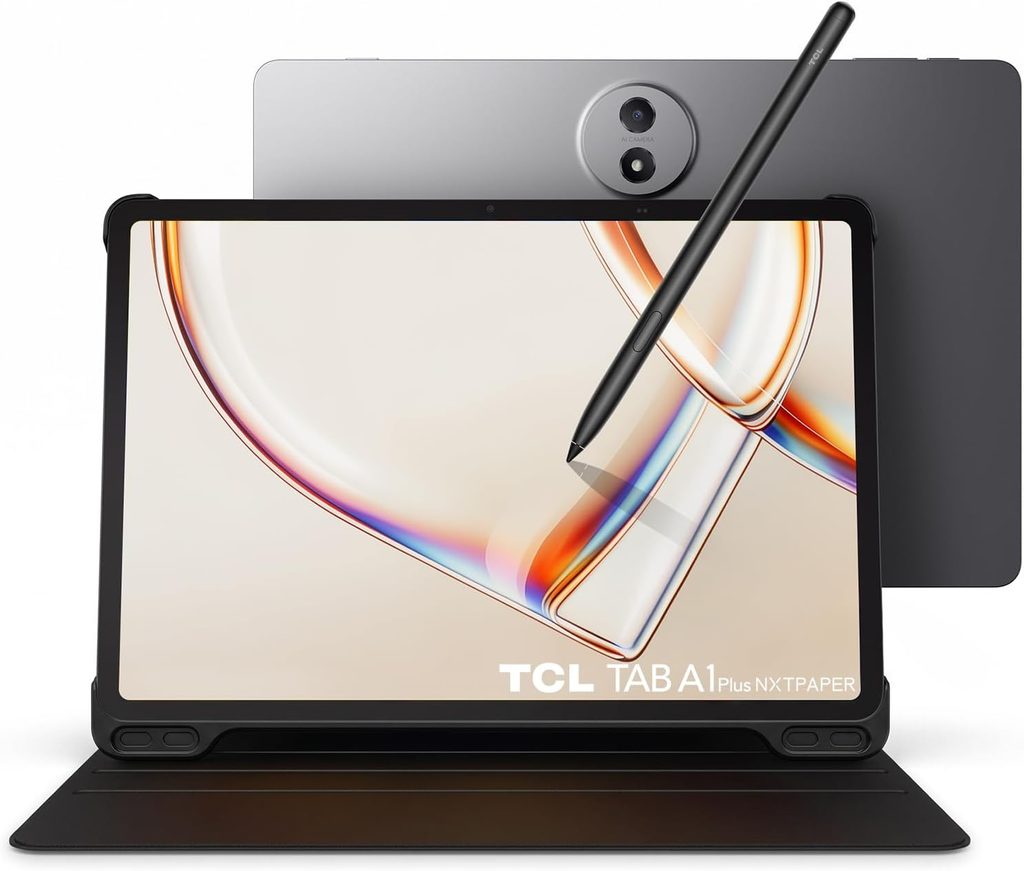
The TCL NXTPAPER deserves a place on this list for a different reason. Rather than competing primarily on processing power or premium features, TCL’s NXTPAPER tablets have screens that mimic the look and feel of paper. That’s interesting for using digital notebooks. If you’re moving from a traditional paper notebook to a tablet, the display can be one of the biggest adjustments because most feel like writing on glass and their screens are bright and glossy. A paper-like display can provide a more comfortable and familiar experience for reading and writing.
TCL has produced several NXTPAPER tablet models, so you’ll want to check the exact model available during Prime Day. Whether it supports a stylus or if a pen is included can vary between models and bundles.
Why NXTPAPER is interesting for digital notebook users
For someone using a Ministry Notebook PDF, the advantage isn’t simply that the screen looks different. Because you’re using Android, you can install the PDF and note-taking applications you want to use. You can import your Ministry Notebook PDF, write on it with a compatible stylus, follow hyperlinks, and use the features provided by your chosen PDF application from the Google Play Store. That makes the NXTPAPER much more comparable to a Samsung Galaxy Tab or Lenovo Android tablet than to a Kindle Scribe.
The NXTPAPER display is what sets it apart. TCL’s NXTPAPER technology is designed to reduce glare and reflections and provide a more paper-like viewing experience. That can be appealing if you’re spending hours reading Bible passages, studying, writing notes, or working through a digital notebook.
What you can potentially do
With a suitable Android PDF notebook application, you can use a Ministry Notebook or other PDF file just like you would on other Android tablets:
- Import your PDF notebook
- Write directly on the pages
- Follow navigation links
- Highlight and annotate text
- Duplicate pages when you need additional writing space
- Insert pages
- Rearrange pages
- Copy template pages for repeated use
- Keep multiple notebooks on the tablet
The exact page-management features depend on the PDF application you choose, so check the app’s capabilities before purchasing a tablet specifically for digital notebooks.
Best for: People who prioritize a more paper-like display and want a conventional Android tablet rather than an E Ink device.
6. Lenovo Idea Tab — Best Budget Option
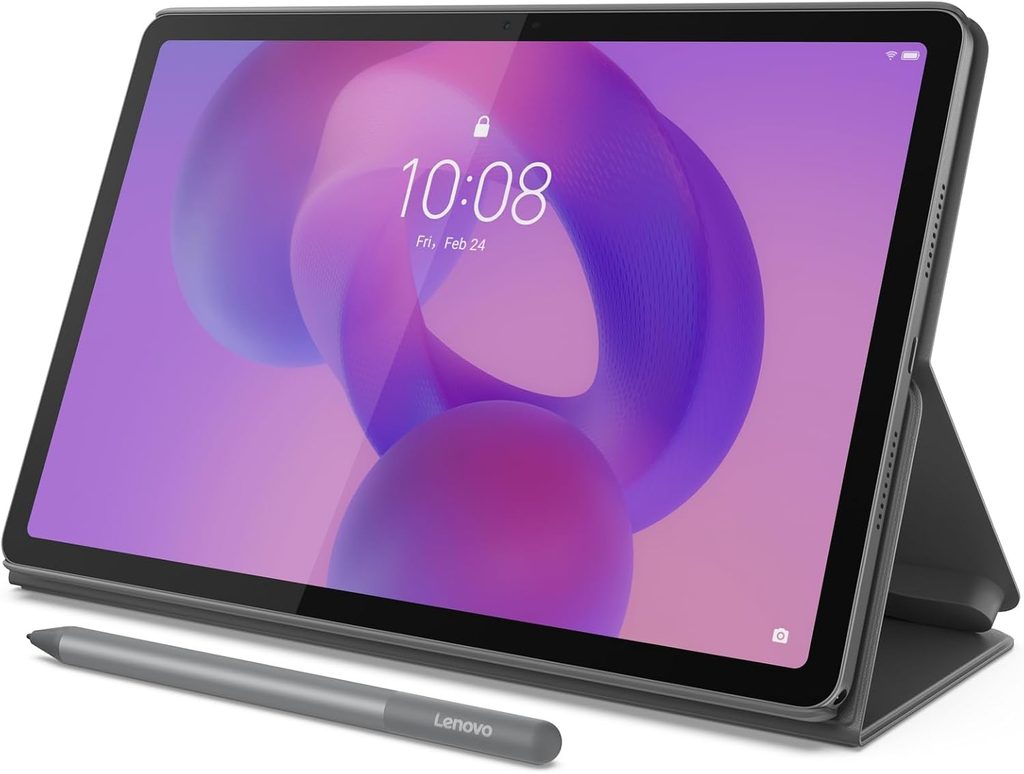
If the Idea Tab Pro is more tablet than you need, the standard Lenovo Idea Tab is worth considering. The 11-inch model is available with the Tab Pen and folio case, making it an interesting budget package for someone who wants to experiment with digital notebooks. The combination of an 11-inch 2.5K display, Android, and the included pen makes it a legitimate alternative to more expensive tablets.
The key thing to check during Prime Day is the exact combination you need. Lenovo sells multiple versions, and you don’t want to accidentally purchase a tablet-only package and then discover that the pen isn’t included.
Best for: Someone who wants to spend as little as possible while still getting a tablet, stylus, and full Android environment.
7. Kindle Scribe — Great for Reading, but Not Ideal for Notebook PDFs
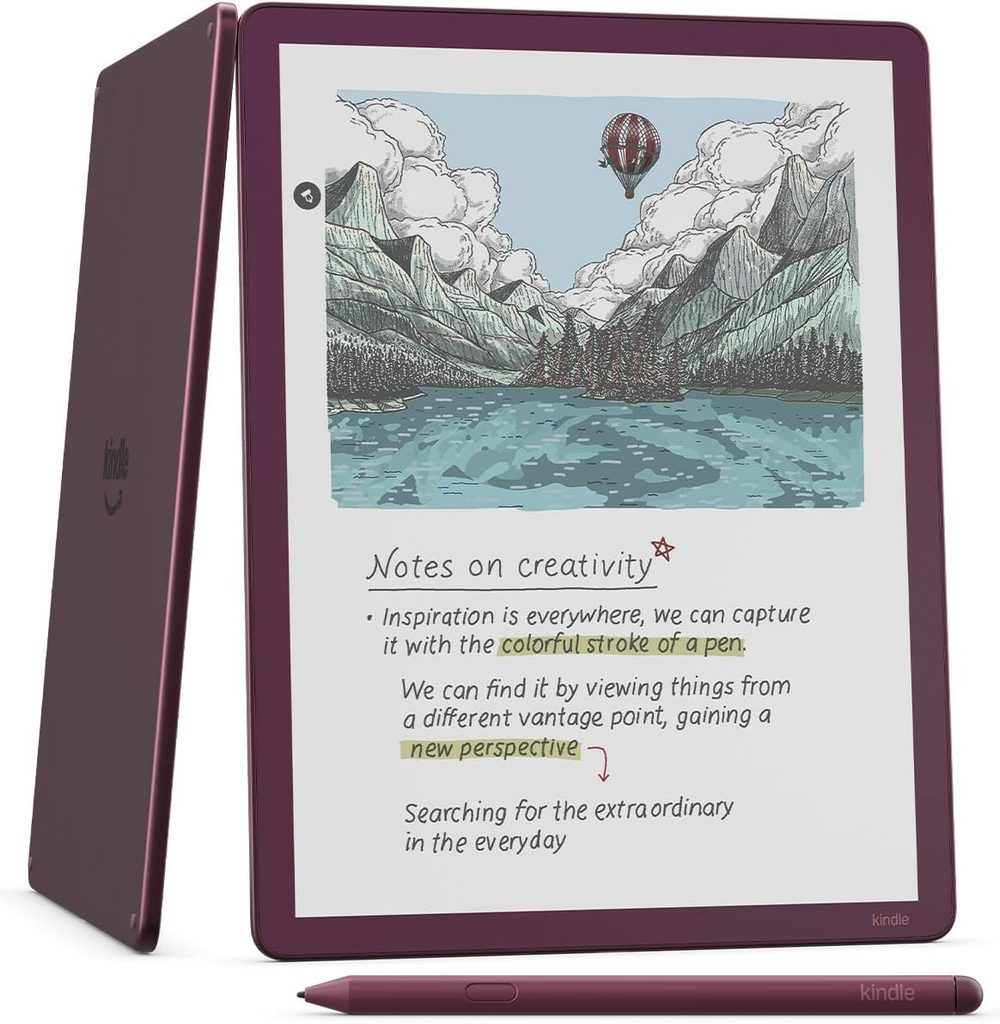
The Kindle Scribe deserves special mention because it is very good at what it was designed to do. It’s an excellent combination of Kindle reading and handwritten note-taking. But if you’re considering a tablet specifically for PDF notebooks, there’s an important limitation to understand.
The Scribe isn’t a full tablet
The Kindle Scribe uses Amazon’s Kindle/E Ink environment rather than Android or iPadOS. That means it doesn’t give you the same freedom to use PDF notebook apps as a Samsung Galaxy Tab or iPad. More importantly, the issue isn’t simply whether the Scribe can open a PDF. It can. The issue is what you can do with that PDF once you’re using it as a notebook.
Ministry Notebook PDFs are designed to be reusable
A digital notebook can contain templates that you want to use repeatedly by copying and pasting the pages where you want them. For example, if you’re studying a long passage and need three additional pages of notes, simply copy the page and keep writing. On a regular Android tablet or iPad, your PDF note-taking application can give you tools to duplicate pages, insert pages, and rearrange pages within your working notebook. That’s an important part of the digital-notebook experience.
The Kindle Scribe’s PDF capabilities are much more limited and don’t allow for this type of workflow. It isn’t designed to function like a full PDF notebook application where you freely copy and paste notebook pages wherever you need them. You can read and annotate PDFs on a Kindle Scribe, but I would not recommend buying one specifically for Ministry Notebook PDFs if your plan is to build a reusable notebook by copying and adding pages. The notebook needs to be designed for the Scribe. Each section would have duplicate pages where they go. This is something we will build in the future if there is enough demand.
The Scribe is better thought of as a Kindle + E Ink writing tablet rather than a full-featured PDF digital notebook.
Best for: Reading Kindle books and taking relatively simple handwritten notes.
Not recommended for: Ministry Notebook users who need to duplicate, copy, paste, insert and reorganize PDF notebook pages.
What Should You Buy During Prime Big Deal Days?
Here are my picks specifically for digital PDF notebooks rather than general tablet use.
Best Overall: Samsung Galaxy Tab S10 FE
The S10 FE hits the sweet spot. It’s large enough for a full notebook page, the S Pen is included, and Android gives you plenty of choices for PDF and note-taking applications.
Best Large Screen: Samsung Galaxy Tab S10 FE+
If you want a large digital writing surface, the 13.1-inch display is difficult to beat at its price level.
Best Apple Option: iPad + Apple Pencil
If you prefer Apple, don’t hesitate to choose an iPad. An iPad paired with Apple Pencil makes an excellent digital notebook, and iPadOS provides a strong selection of PDF and handwriting apps. Many prefer iPad over Android. It’s an excellent choice.
Best Paper-Like Experience: TCL NXTPAPER
If the appearance and feel of the screen are especially important to you, NXTPAPER is worth considering.
Best Budget: Lenovo Idea Tab
If the Prime Day price is right, the Idea Tab with the included pen and folio case could be one of the best inexpensive ways to get started with digital notebooks.
Best Large Budget Option: Lenovo Idea Tab Pro
If you want a big screen without spending premium-tablet money, the Idea Tab Pro is worth watching.
Best for Reading: Kindle Scribe
The Scribe is an excellent reading and handwriting device, but don’t buy it expecting it to work like an Android tablet or iPad for reusable PDF notebooks. It has a built-in notebook that is highly usable, but limited.
Don’t Buy a Tablet Just Because It Has a Pen
This is probably the most important advice I can give someone shopping for a tablet to use with a digital notebook.
A stylus isn’t enough.
Almost every tablet manufacturer can advertise some form of pen support. What matters is what you can actually do with your PDF after importing it.
Before buying, ask:
- Can I import my PDF notebook?
- Can I write directly on the PDF?
- Does palm rejection work well?
- Do hyperlinks work?
- Can I duplicate pages?
- Can I insert pages?
- Can I move pages around?
- Can I copy a template page when I need another one?
- Can I save the modified notebook?
- Can I use the same notebook throughout the year?
If the answer to those questions is yes, you have something much closer to a digital notebook replacement rather than simply a tablet that happens to display PDFs.
The Bottom Line
For someone specifically looking for a tablet to use with digital PDF notebooks, I would narrow Prime Big Deal Days down to four platforms:
Samsung Galaxy Tab if you want the best combination of included pen, Android flexibility, and value.
iPad + Apple Pencil if you prefer Apple’s ecosystem and want access to an excellent selection of PDF and handwriting apps.
TCL NXTPAPER if you want a more paper-like screen and want a conventional Android tablet.
Lenovo Idea Tab if you want to spend less while still getting a conventional Android tablet and pen.
The Kindle Scribe is a different category. It is excellent for reading and handwritten notes, but its limitations are crucial when you’re working with a reusable PDF notebook that requires you to copy, paste, duplicate, and insert pages wherever you need them.
That’s why I would choose a Galaxy Tab or iPad over a Kindle Scribe for a Ministry Notebook. And that’s ultimately the most important thing to remember during Prime Day: Don’t shop for a tablet with a pen. Shop for a tablet that can actually run the digital notebook you want to use.

0 Comments